
🌟 Aeon Whale Radar — Verified DeFi Alerts, Zero Infrastructure 🐳

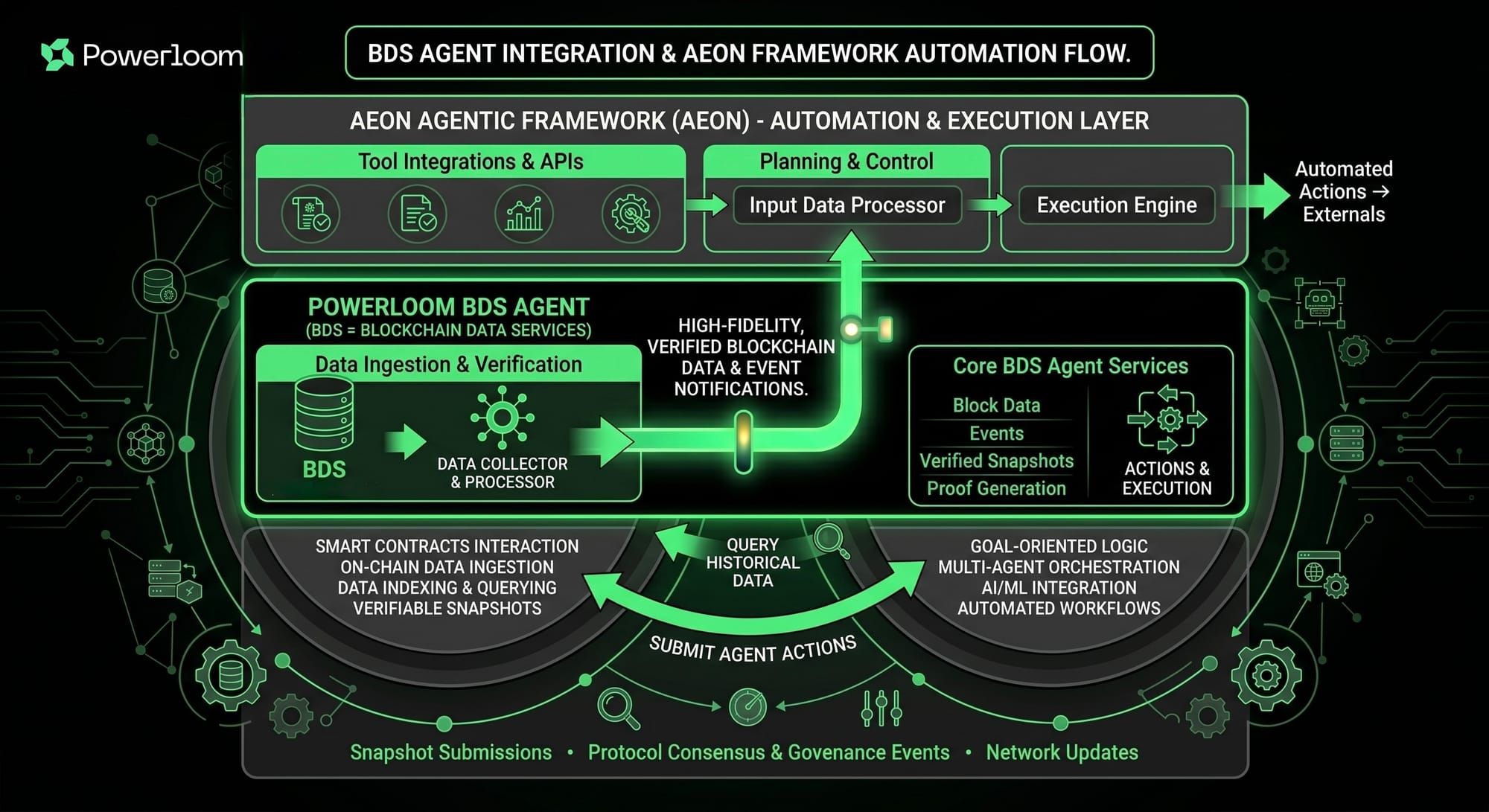
Last week we published the Whale Radar recipe — how per-block Uniswap V3 swap tracking works under the hood, from epoch cursor logic to fingerprint deduplication to on-chain verification. That post covered two paths into the pipeline: OpenClaw with a hosted MCP server, and bds-agent as a headless CLI.
Today we are shipping the third path: Aeon.
Aeon is an open-source agent scheduler that runs entirely inside GitHub Actions. Github: powerloom/aeon-skills brings Whale Radar into that runtime. Same per-block snapshot catch-up, same deterministic cursor, same provable alerts. No VPS, no cron server, no MCP server to maintain.
If you want verified DEX alerts flowing to Telegram or Discord without running any infrastructure, this is the shortest path.
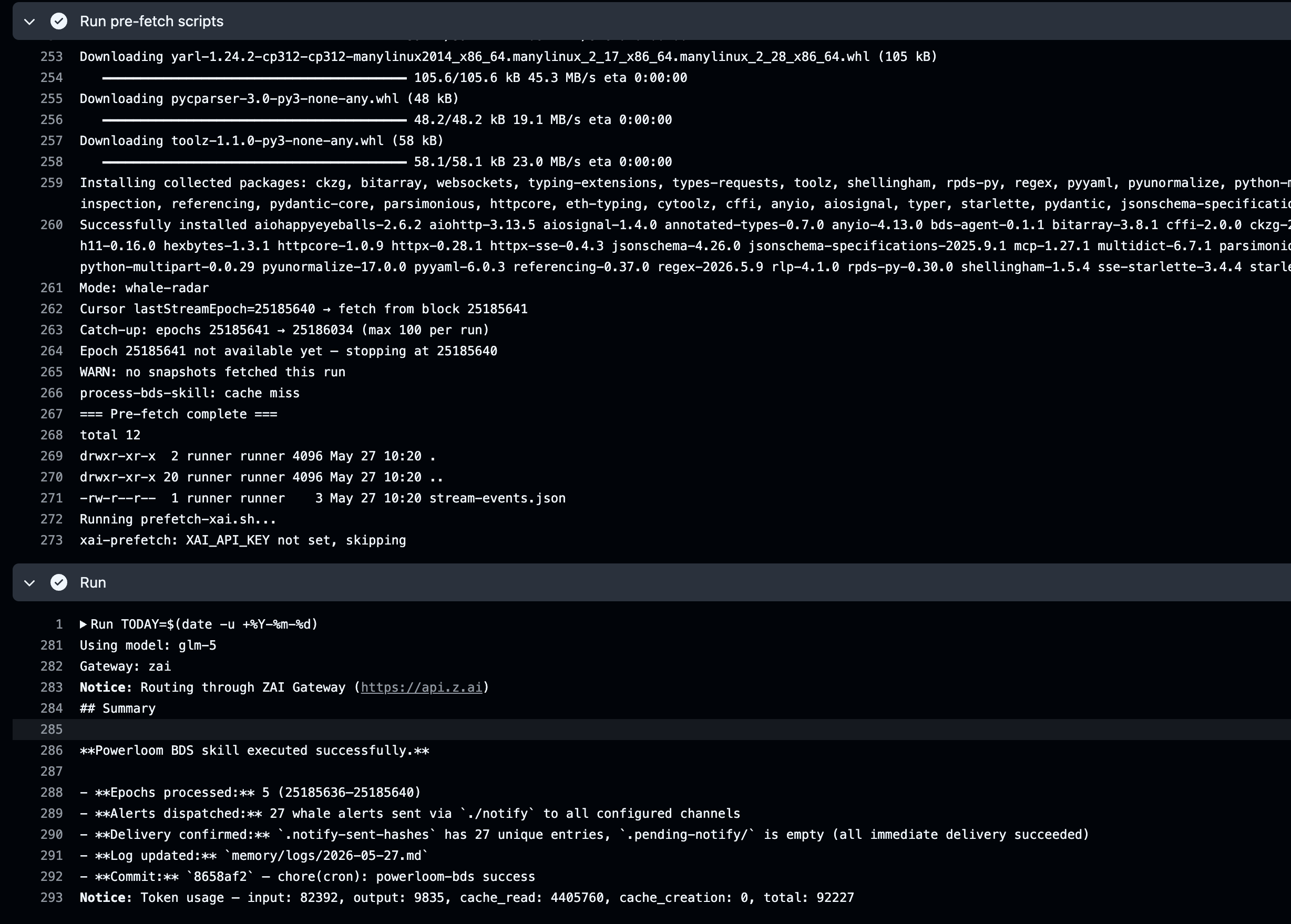
The first production run caught 27 whale alerts in a single session:
🐳 Whale alert: WBTC → USDC  $245,000
Pool: 0x99ac8cA7087fA4A2A1FB6357269965A2014ABc17
Epoch: 25185640
✅ Verified on-chain
   cid: bafkrei...
   protocolState: 0x1d0e010Ff11b781CA1dE34BD25a0037203e25E2a
   dataMarket: 0x26c44e5CcEB7Fe69Cffc933838CF40286b2dc01a
Every alert includes the DSV verification block: CID, epoch, protocolState, dataMarket. Checkable on-chain via cast call against ProtocolState.maxSnapshotsCid, or via the MCP verify_data_provenance tool.
How it works
The Aeon skill uses a deterministic prefetch pattern that keeps the LLM out of the data pipeline:
-
A Python prefetch script runs outside the LLM sandbox (
prefetch-bds.sh). It reads the epoch cursor frommemory/powerloom-bds-state.json, loops fromlastStreamEpoch + 1through the latest finalized block (cap 10 per run), fetches snapshots fromGET /mpp/snapshot/allTrades/{block}, builds alert payloads, and writes them to.bds-cache/alerts.json. -
The LLM reads the pre-built alerts from cache and dispatches them via
./notifyto Telegram, Discord, or Slack. It never fetches data, never manages a cursor, never touches the BDS API. -
The epoch cursor is auto-committed by the GitHub Actions workflow, so the next run picks up exactly where the previous one left off.
This is the same separation we described in the Whale Radar deep-dive: the data layer owns correctness, the agent layer owns delivery. Aeon just runs it on GitHub's infrastructure instead of yours.
GitHub Actions cron (every ~15 min)
  │
  ├─ prefetch-bds.sh (Python, outside sandbox)
  │    • Read cursor from memory/powerloom-bds-state.json
  │    • GET /mpp/snapshot/allTrades/{block} (Bearer sk_live_...)
  │    • Resolve pool metadata, filter by USD threshold
  │    • Write alerts to .bds-cache/alerts.json
  │    • Write new cursor back to state file
  │
  └─ LLM sandbox (Aeon skill)
       • Read .bds-cache/alerts.json
       • Dispatch via ./notify (Telegram / Discord / Slack)
Setup
Full walkthrough with screenshots: docs.powerloom.io/agents-and-bds/aeon-whale-radar
The short version:
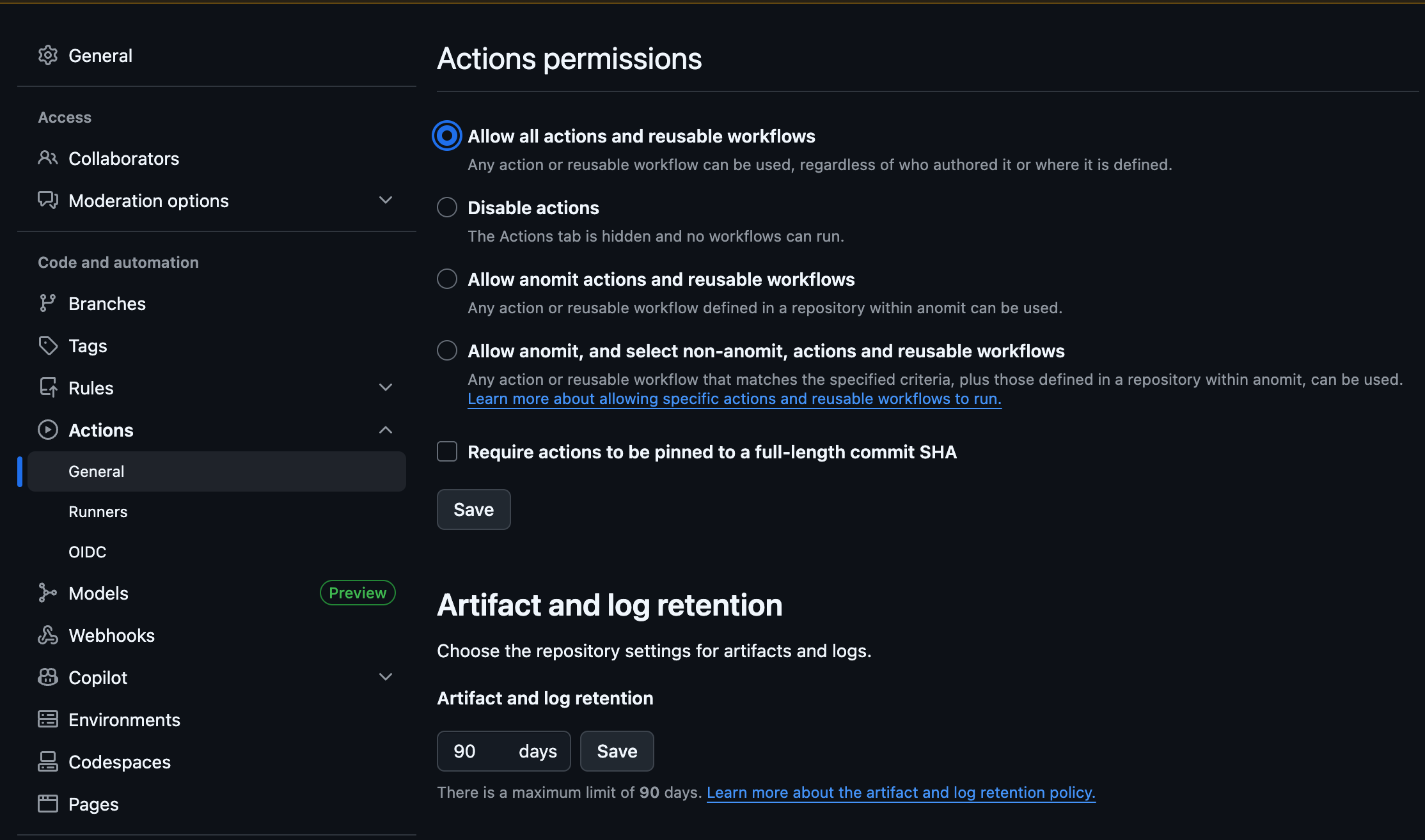
1️⃣ Fork Aeon and enable Actions in your fork
2️⃣ Clone aeon-skills and run install-into-aeon.sh against your fork
3️⃣ Add powerloom-bds: { enabled: true, schedule: "*/5 * * * *" } to aeon.yml
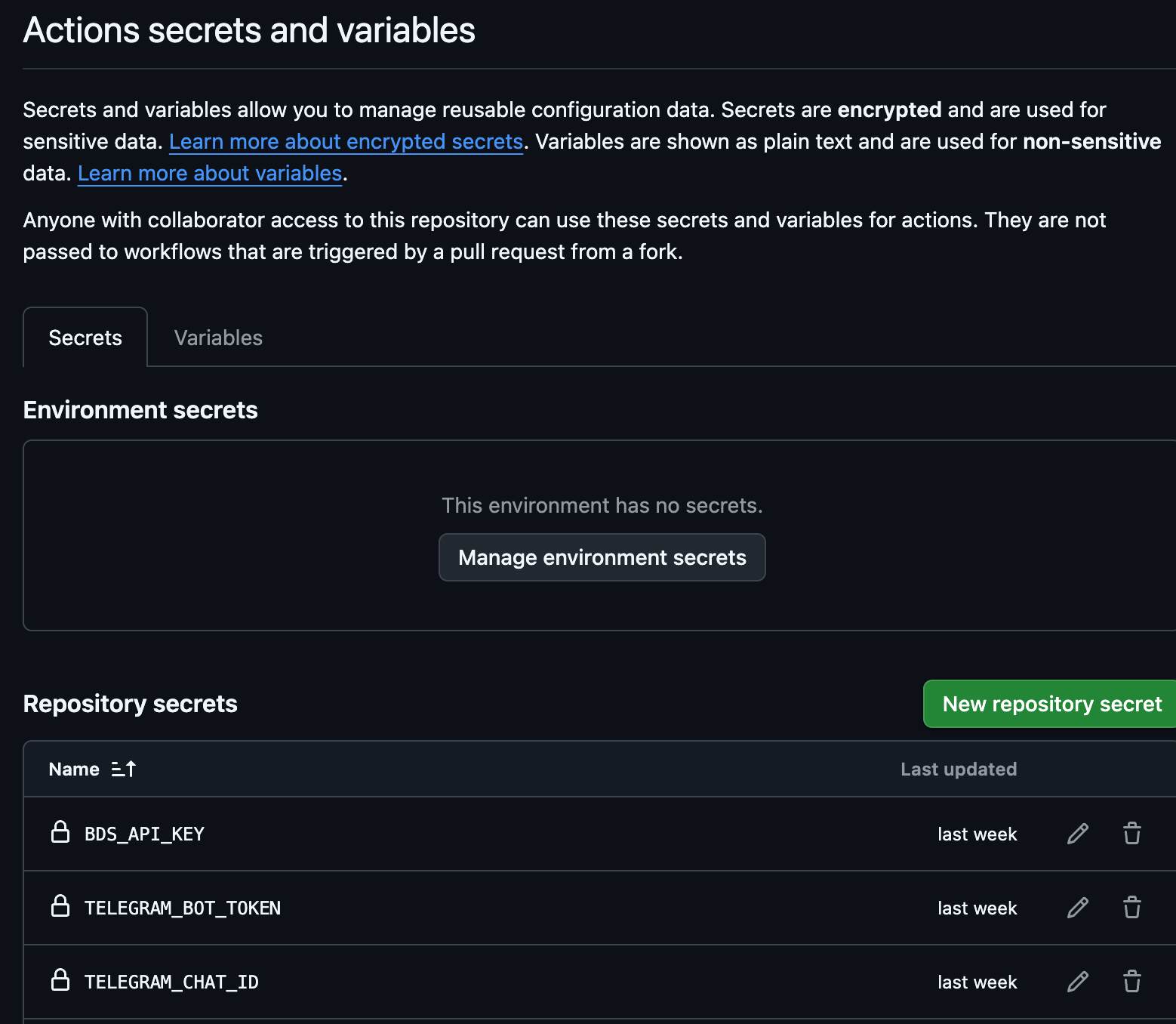
4️⃣ Set GitHub secrets: BDS_API_KEY (required), TELEGRAM_BOT_TOKEN + TELEGRAM_CHAT_ID (for TG alerts), or DISCORD_WEBHOOK_URL (for Discord)
5️⃣ Commit, push, check the Actions tab
Metering — API Key, Credits, and Usage Dashboard
Every path into BDS starts with an API key. Get one at bds-metering.powerloom.io/metering — email signup, no wallet required. 2 free credits on signup. 1 credit = 7,200 epochs = 1 full day of continuous polling on ETH mainnet.
When free credits run out, top up with POWER on Powerloom mainnet or USDC on Ethereum, Polygon, Arbitrum, or Optimism. See the Metering & API Keys docs for live plans and payment instructions.
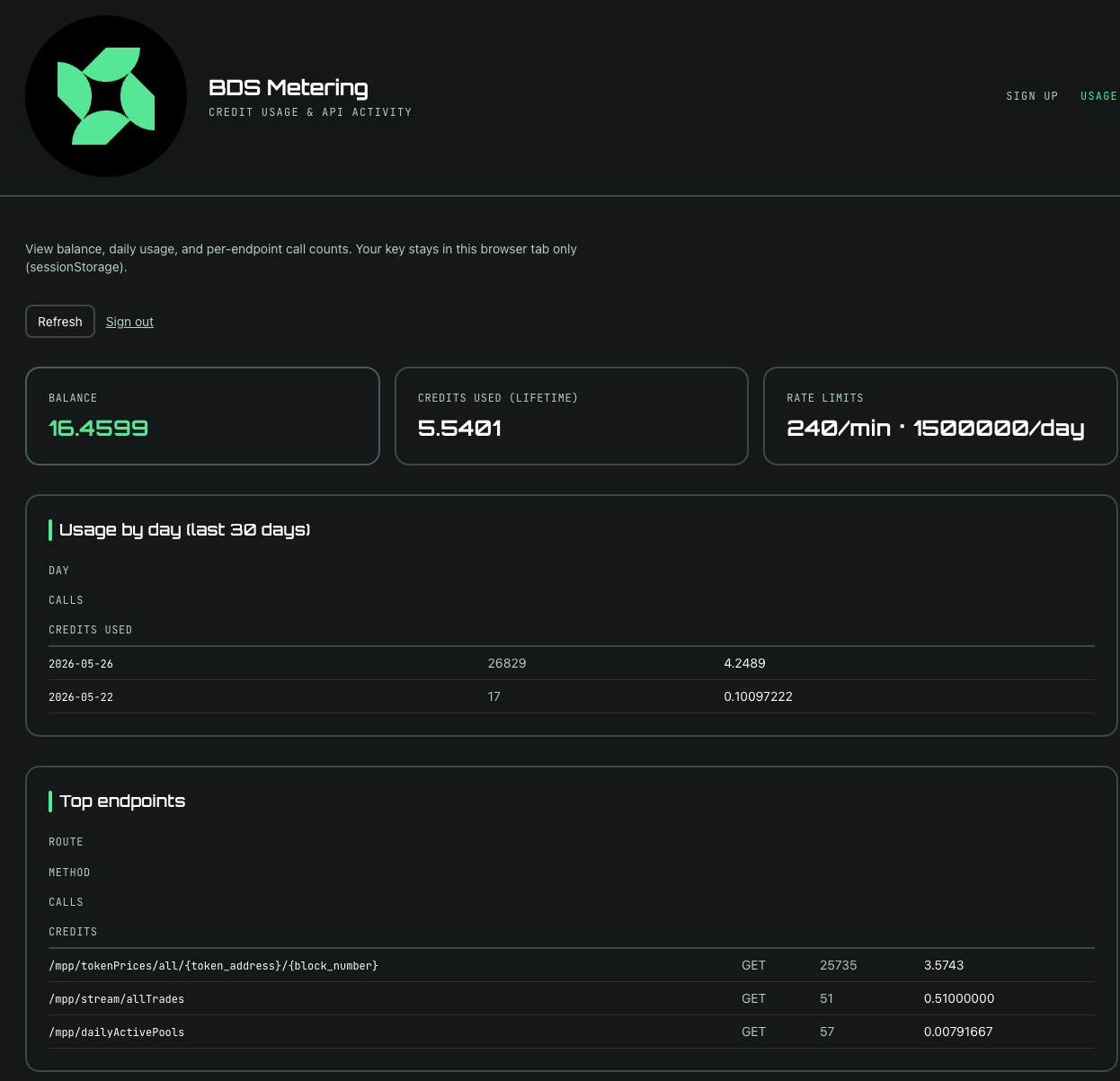
Usage dashboard — the metering frontend got a full overhaul. The new USAGE tab shows:
- Current credit balance and rate limits
- Usage broken down by day (last 30 days)
- Top API endpoints hit
- Recent activity log
Paste your API key at bds-metering.powerloom.io/metering and you get full visibility into spend without writing any code. Previously you had to hit GET /credits/balance via curl or bds-agent credits balance. Now the dashboard does it for you.
Three paths, same pipeline
| Aeon | OpenClaw | bds-agent CLI |
|
|---|---|---|---|
| Runtime | GitHub Actions | Your machine / VPS | Terminal |
| Transport | Prefetch + notify | MCP SSE | Direct HTTP |
| Setup | Fork + install script | One-shot prompt | pip install bds-agent |
| Infrastructure | GitHub (free for public repos) | Your server | Your machine |
| Verification | In every alert | In every response | In every response |
All three consume the same BDS snapshots from the same DSV-validated data market. All three produce alerts with the same verification block. The choice is about where you want to run, not what you get.
Docs for all three paths:
Resources
- Aeon skill: github.com/powerloom/aeon-skills
- Aeon setup: docs.powerloom.io/agents-and-bds/aeon-whale-radar
- OpenClaw skill: clawhub.ai/powerloom-bot/powerloom-bds-univ3
- Headless CLI: pypi.org/project/bds-agent
- Metering: bds-metering.powerloom.io
- Docs: BDS and Agents: Quickstart
- Previous post: Whale Radar Recipe — Under the Hood